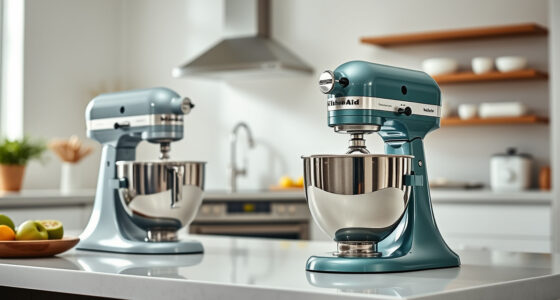

The KitchenAid Artisan Series 5 Quart Tilt Head Stand Mixer is a versatile and durable kitchen appliance designed to handle a variety of mixing tasks. To keep it performing at its best, regular maintenance and troubleshooting are essential. This guide provides clear, step-by-step instructions on how to clean, troubleshoot, and maintain your mixer safely and effectively, ensuring it remains a reliable workhorse in your kitchen for years to come.

Get kitchen gear delivered free with Prime
- Fast, free delivery on millions of items
- Prime Video, Amazon Music and more included
- Member-only deals all year
Whether you’re encountering common issues or just want to extend the life of your mixer, following these practical tips will help you keep your KitchenAid in top shape. Remember, proper care not only prolongs the lifespan but also ensures optimal mixing results every time.
Key Takeaways
| Regular Cleaning | Clean your mixer regularly to prevent buildup and ensure hygiene. |
| Check Attachments | Inspect and clean attachments for smooth operation. |
| Motor Troubleshooting | Identify and resolve common motor issues safely. |
| Bowl & Beater Care | Maintain the bowl and beaters for optimal mixing. |
| Safety Tips | Always unplug before maintenance and handle parts carefully. |
Cleaning Your KitchenAid Stand Mixer
- Unplug the mixer from the power outlet to ensure safety before cleaning.
- Remove the mixing bowl and attachments, such as the flat beater, dough hook, or wire whip.
- Wash the bowl and attachments in warm, soapy water; most are dishwasher safe for convenience.
- Wipe down the mixer’s exterior with a soft, damp cloth. Avoid abrasive cleaners to prevent scratching the metal finish.
- Use a small brush or toothbrush to clean around the tilt-head hinge and the beater shaft to remove any residue or flour build-up.
- Dry all parts thoroughly before reassembling to prevent rust or corrosion.
Inspecting and Maintaining Attachments
- Regularly check that attachments are free of food debris and buildup. Clean with warm water and a soft cloth.
- Ensure the attachments lock securely into place before use to prevent wobbling or detachment during operation.
- Inspect for any signs of wear or damage. Replace attachments if they show cracks or deformation.
- Lubricate attachment connection points with food-grade silicone spray if they become stiff, but only after cleaning.
Troubleshooting Common Motor & Speed Issues
If your mixer isn’t operating properly, follow these troubleshooting steps:
- Check that the mixer is plugged in and the power outlet functions correctly.
- Ensure the tilt-head is securely locked into position; an unlocked head can cause operational issues.
- If the mixer stalls or the motor sounds strained, reduce the load by removing some ingredients or switching to a lower speed.
- Clean the motor vents with compressed air to remove dust or debris that may cause overheating.
- Reset the mixer by unplugging it for 10 seconds and then plugging it back in.
If problems persist, consult the user manual or contact KitchenAid customer support for further assistance.
Maintaining the Bowl and Beaters
Proper care of your mixing bowl and beaters ensures thorough mixing and longevity:
- Wash the stainless steel bowl and beaters after each use with warm, soapy water. These parts are dishwasher safe.
- Inspect for signs of rust or corrosion; replace if necessary.
- Ensure the bowl sits securely on the base and is properly aligned before mixing.
- Periodically check the beaters for bending or damage, especially after heavy-duty use.
Safety Tips for Maintenance & Troubleshooting
- Always unplug the mixer before cleaning or inspecting parts.
- Handle attachments and sharp parts carefully to avoid injury.
- Do not immerse the motor base in water or any liquid.
- Use only recommended attachments and accessories to prevent damage.
- If you notice unusual noises, burning smell, or overheating, turn off the mixer immediately and seek professional assistance.
The Products in This Guide

KitchenAid Artisan Series 5 Quart Tilt Head Stand Mixer
- ✔ Weight: 26 lbs
- ✔ Dimensions: 14 x 8 x 14 inches
- ✔ Warranty: 1 Year

KitchenAid Stand Mixer Attachment
- ✔ Weight: 4 lbs
- ✔ Dimensions: 8 x 7 x 4 inches
- ✔ Warranty: N/A
KitchenAid Artisan Series 5 Quart Tilt Head Stand Mixer
The KitchenAid Artisan Series 5 Quart Tilt Head Stand Mixer is built with durable metal construction and features 59 touchpoints for excellent mixing. Its tilt-head design provides easy access to ingredients, and the 10-speed settings cover nearly any recipe need. Perfect for small or large batches, it is a staple kitchen tool with long-lasting performance.
Pros:
- Durable metal construction
- Easy tilt-head design
- Multiple speed options
- Dishwasher safe bowl and attachments
Cons:
- Can be heavy to move
- Requires regular cleaning of attachments
- Price may be high for some
Best for: Home bakers who want a reliable, versatile mixer for daily use
Not ideal for: Commercial kitchens or high-volume bakeries needing industrial equipment
Bottom line: A versatile, durable mixer ideal for everyday baking needs.
KitchenAid Stand Mixer Attachment
The KitchenAid Metal Food Grinder attachment expands your mixer’s capabilities, allowing you to grind meat, vegetables, and nuts with ease. Its sturdy construction and multiple grinding plates make it a versatile addition for home chefs who enjoy making fresh, quality ingredients from scratch.
Pros:
- Sturdy metal construction
- Multiple grinding plates
- Includes sausage stuffer tubes
- Large food tray
Cons:
- Requires attachment purchase
- Can be noisy during operation
- Needs pre-chilling for best results
Best for: Home cooks interested in fresh, homemade ingredients
Not ideal for: Heavy-duty commercial grinding needs
Bottom line: A sturdy, multifunctional attachment for fresh grinding needs.
Frequently Asked Questions
Can I clean my KitchenAid mixer with water?
Yes, you can wipe down the exterior and wash removable parts like the bowl and attachments with warm, soapy water. Never immerse the motor base in water.
How often should I clean my mixer?
Regular cleaning after each use is recommended to prevent buildup. Deep clean the attachments and wipe the exterior weekly or as needed.
What should I do if the mixer stops working or makes strange noises?
First, unplug the mixer and check for any obstructions or overload conditions. Clean the motor vents and ensure attachments are correctly installed. If issues persist, contact customer support.
Are attachments dishwasher safe?
Most stainless steel attachments like beaters and bowls are dishwasher safe. Always check manufacturer instructions for specific cleaning guidance.
How do I troubleshoot uneven mixing?
Ensure all attachments are properly locked in place, and avoid overloading the bowl. Also, check for proper bowl positioning and adjust as necessary.
Keep Your KitchenAid Running Smoothly with Proper Maintenance
Routine cleaning and inspection are key to maintaining your KitchenAid Artisan Series 5 Quart Tilt Head Stand Mixer. By following these simple steps, troubleshooting tips, and safety precautions, you can ensure your mixer stays in excellent condition for years of reliable baking and cooking. Regular upkeep not only prolongs its lifespan but also guarantees the best mixing results every time you step into your kitchen.
Remember, a well-maintained mixer is a happy mixer. Happy baking!
Affiliate disclosure: As an Amazon Associate we earn from qualifying purchases. Prices and availability are accurate as of the time of publishing.
Evergreen bestsellers Picks
bestsellers
As an affiliate, we earn on qualifying purchases.