Smart Kitchen Gadgets: A Cyber Monday Guide
AIThis post was created with the assistance of artificial intelligence (AI).

TL;DR

Smart kitchen gadgets add sensors, software, connectivity, or automation to familiar tools, from Bluetooth thermometers to connected ovens. They can make repeated tasks easier and more consistent, but their value depends on reliable features, offline controls, compatibility, privacy, and ongoing costs. Start with one recurring frustration and compare it with a simpler non-connected tool before buying.

A connected thermometer can text you when a roast reaches its target temperature, but it still can’t season the vegetables or remember to turn on the oven. That small gap between what a gadget promises and what it actually does is the key to shopping wisely for smart kitchen gadgets. These devices add sensors, apps, internet connections, or automated programs to familiar tools. A thermometer might send alerts over Bluetooth; a multicooker might offer app-guided settings; a fridge might track inventory. The label covers a wide range, and a glowing screen alone doesn’t make dinner easier. This guide helps you match a gadget to a real routine, compare connected and ordinary versions, and check the details that matter after the unboxing: Wi-Fi needs, food safety, privacy, upkeep, and long-term support. Think of a useful smart feature as a kitchen helper with a specific job. If you can name that job before you buy, you’re already ahead.
At a glance
Smart Kitchen Gadgets: What to Know Before You Buy
Key insight
Remote control does not mean a kitchen appliance cooks by itself: many connected devices still need you to prepare ingredients, load the appliance, and confirm key actions.
Key takeaways
1

Start with a repeated cooking or storage problem, such as monitoring a roast or remembering leftovers.

2

Check offline controls, internet requirements, phone compatibility, and specific smart-home features for the exact model.

3

Compare the connected gadget with a manual version and include subscriptions, filters, replacement parts, and energy use.

4

Use reliable food-safety guidance and a thermometer when needed; an app alert alone does not prove food is safe.

5

Prefer physical controls and local programs when you want the appliance to remain useful if app or cloud support changes.

Step by step
1
How to Choose a Gadget That Solves a Real Kitchen Problem
Choose a smart kitchen gadget by starting with a repeated problem, then checking its setup, offline behavior, compatibility, and upkeep.
Before you orderOffer from Amazon

Get kitchen gear delivered free with Prime

  • Fast, free delivery on millions of items
  • Prime Video, Amazon Music and more included
  • Member-only deals all year
Start your free Prime trial Free trial for eligible customers · Cancel anytime
As an affiliate, we earn on qualifying purchases.

What Smart Kitchen Gadgets Actually Do for You

Smart kitchen gadgets are familiar cooking or food-storage tools with connected, sensor-driven, programmable, or automated features. They may use Bluetooth, Wi-Fi, or a dedicated hub to send alerts, guide a cooking step, store settings, or share information with another device. The category runs from a small probe thermometer to a full-size connected oven. Think of connectivity as a messenger, not a cook. A Bluetooth thermometer can report that a chicken breast has reached a chosen temperature, while you still need to place the probe correctly and handle the food safely. An app-controlled multicooker can guide you through a recipe, but you must add the ingredients and follow the cooking instructions. Remote control and autonomous cooking are different things. That distinction matters because a notification can help you decide when to act, but it cannot correct a misplaced probe, judge whether ingredients were prepared safely, or take responsibility for a cooking step you have not authorized. For example, a parent juggling a school pickup and dinner may value a cooker that switches to a safe keep-warm setting and sends an alert. Someone who cooks simple meals beside the stove may get little from the same app. The useful question is not whether a product is smart; it’s whether its feature removes a recurring annoyance in your kitchen. The benefit comes from fitting the task and timing: an alert is useful when you cannot watch the pot, while the same alert may just interrupt someone who is already standing there. Smart kitchen gadgets can help you manage cooking and food storage, but each model handles those jobs differently. Check whether it needs Wi-Fi, Bluetooth, an account, or a subscription, and ask what remains available if your internet drops. Wi-Fi can extend control across the home or beyond it, but also introduces dependence on the router, app, and company servers. Bluetooth may be simpler for nearby alerts, though its range can limit usefulness if you leave the house. A timer with physical buttons can still be the better tool if it does the job without setup or notifications.

Products Worth Considering

De'Longhi Classic Signature Espresso Machine with Adjustable Milk Frother

De'Longhi Classic Signature Espresso Machine with Adjustable Milk Frother

As an affiliate, we earn on qualifying purchases.

How to Choose a Gadget That Solves a Real Kitchen Problem

Choose a smart kitchen gadget by starting with a repeated problem, then checking its setup, offline behavior, compatibility, and upkeep. A short checklist can keep a shiny demo from distracting you from the task you need done. For instance, if you often overcook fish, temperature alerts may help more than a camera that identifies ingredients. The point is to compare the feature with the moment it needs to help: a feature that is impressive in a showroom may add little if it does not fit how you cook at home.
  1. Name the recurring task. Write down the moment that trips you up: tracking a roast, timing rice, remembering leftovers, or finding what’s in the freezer. A gadget that helps once a month may not earn its counter space. Frequency is only part of the test; consider how costly the mistake is, too. A reminder for food that often spoils may justify more effort than a timer for a meal you can easily check.
  2. Compare the manual version. A basic probe thermometer may cost less and measure the same temperature as a connected one. Pay extra only if alerts or history make your routine noticeably easier. The premium is easiest to justify when it changes what you can do, such as letting you step away from the kitchen; if it only displays the same reading on a phone, the extra cost may buy novelty rather than a better result.
  3. Check what works offline. Read the product manual for local buttons, saved programs, and manual operation. Some devices keep cooking without internet; cloud recipes and remote alerts may not. This affects more than convenience: if an app outage can interrupt basic operation, you are accepting dependence on a service you do not control. A useful fallback preserves the core job even when the optional connected features fail.
  4. Confirm your setup. Verify phone, voice assistant, and smart-home support for the exact model and feature. “Compatible” may apply to a timer but not every setting. Check the actions you actually intend to use, since a basic status update may be supported while remote temperature changes or cooking programs are not.
  5. Price the upkeep. Add subscriptions, filters, probes, replacement parts, and energy use to the purchase price. Also consider setup time and whether multiple household members need accounts or training. A low-cost device with expensive consumables or a recurring fee can cost more over its useful life than a pricier model with local controls.
A weekday cook who wants a roast alert might find a connected thermometer useful, while a casual cook who rarely makes large cuts of meat could be happier with a standard instant-read thermometer. This process turns their main promise—convenience—into a concrete test: will this device save attention at a moment when you actually need it? If the answer relies on several assumptions about apps and integrations, look for a simpler model or read recent independent reviews before deciding.

Where Connected Tools Can Make Cooking More Consistent

Connected tools help most when they monitor a changing condition or repeat a cooking step more consistently than you can while doing something else. Temperature probes, programmable cookers, and guided ovens can reduce guesswork, especially when a recipe needs steady heat or careful timing. They don’t remove the need to follow the recipe or check the food. Their value is strongest when your attention is divided: a device can watch a measurement continuously while you prepare other food, but its reading is only as useful as the sensor placement and your response to it.
GadgetUseful jobWhat to check
Connected thermometerAlerts you when food reaches a target temperatureProbe placement, range, app alert reliability
Programmable multicookerRuns saved or guided cooking programsManual controls, app dependence, pot size
Connected ovenOffers remote monitoring or preset programsWhich settings work remotely and when
Fridge inventory toolTracks items or sends remindersHow items are entered and corrected
Imagine roasting a chicken while you prepare a salad. A probe alert can free you from opening the oven every few minutes, and it can help you notice when the center reaches the temperature recommended by food-safety guidance. That saves attention and avoids repeatedly opening the oven, which can disrupt cooking conditions. Use a reliable thermometer and follow current safe-cooking instructions; app estimates alone are not proof that food is safe. Sensor readings describe the point being measured, so correct probe placement and checking more than one spot in a large piece can matter. Consistency is the clearest payoff, but it depends on the device and the cook. A sensor can only report what it measures, and a preset may not fit an unusually large roast or a crowded oven. That means automation can reduce routine decisions while still leaving judgment to you when food size, arrangement, or starting temperature differs from the program’s assumptions. For regular meals, guided programs may reduce repeated decisions. For occasional cooking, a timer and a good thermometer may deliver the same result with fewer moving parts.

How to Spot Hidden Costs, Privacy Risks, and Support Gaps

A smart kitchen gadget costs more than its shelf price when it needs a subscription, replacement parts, a phone app, or a cloud service to stay useful. Connected products may collect usage data and rely on accounts, so check the privacy policy, update history, and controls before you bring one into a camera- or microphone-equipped kitchen. These details shape how long the appliance remains useful and how much information or access you trade for convenience. Start with the service life question: what happens if the company stops updating the app or closes its cloud service? Core heating or blending may keep working, while recipe libraries, alerts, remote control, or integrations may disappear. The distinction determines whether a failure removes a bonus feature or disables the reason you bought the appliance. A device with useful physical controls and saved local programs gives you more options. Ask about warranty coverage, repairability, replacement probes or filters, and the length of software support. Short support can make an otherwise sound appliance feel obsolete before its mechanical parts wear out. Privacy deserves a practical check, not a vague worry. If an oven has a camera, find out when it records and whether you can disable it. Use a unique password and available account security features, install updates, and limit permissions the app doesn’t need. Camera and microphone access can expose more than cooking preferences, so it is useful to know whether processing happens on the device or through an online account. For a fridge that requests constant manual inventory updates, decide whether the reminders will genuinely fit your household; forgotten entries can make the list less useful than a paper note. Data that is incomplete can lead to false confidence as well as wasted effort.

Before you buy, test the fallback: if the app vanished tomorrow, could you still use the appliance for its main job?

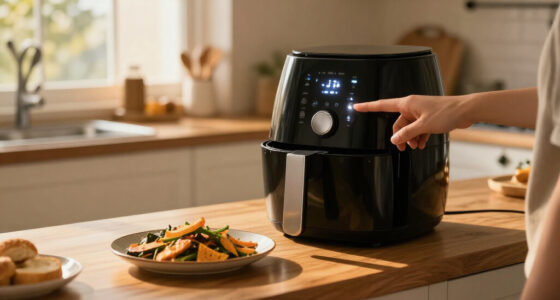
That question links reliability, privacy, and value. A connected slow cooker with clear manual settings may remain handy for years, while a gadget whose only controls live in the cloud could lose much of its appeal if support ends. The fallback also shows how much of the price goes toward durable appliance functions and how much depends on a service whose future is outside your control.

When a Simple Appliance Is the Better Buy

A non-connected appliance is often the better buy when it already solves the task, costs less, and needs no extra setup. Smart features add value when they save attention or improve consistency often enough to justify their price and maintenance. They add clutter when you rarely use them or when the app creates another chore. The tradeoff is not only money: connected tools can shift effort from watching the appliance to configuring, updating, and maintaining its software. Consider two home cooks. One often forgets a stew on low heat while working in another room; a programmable cooker with a clear completion alert could make the evening calmer. The other cooks beside the stove and already uses a reliable timer. An app-controlled cooker may offer little beyond a new screen to tap. The same product can be a good fit in one kitchen and a poor fit in another. The difference is whether the feature changes the cook’s attention at the right time, rather than simply adding another way to see information. Use this quick comparison as a reality check: connected version often offers alerts, saved programs, remote status, or guided steps; simple version often offers a lower price, direct controls, and fewer account or compatibility questions. Neither option wins every time. Accessibility needs matter, too: voice control or spoken alerts may help one user, while small app controls can frustrate another. Also weigh resilience: a connected model may offer more flexibility today, while a manual model is less affected by app changes, network problems, or discontinued support. Ask yourself how often you’ll use the feature in a normal month, not on the day you unbox the gadget. If the benefit is hard to describe without using the word “smart,” the plain version may be enough. If it consistently helps you manage cooking during a busy evening, the added connection could earn its place. A good purchase should fit both the task and the amount of upkeep you are willing to accept.

How to Tell Whether the Convenience Lasts

A smart kitchen gadget delivers lasting convenience when its helpful feature keeps working through ordinary hiccups: a weak Wi-Fi signal, a phone update, a busy household, or a change in smart-home equipment. Setup friction and alerts that arrive late can quickly erase the pleasure of remote monitoring. Reliability is part of the feature itself: if you cannot trust the alert, you may keep checking the appliance manually and get little of the promised time back. Before buying, look for recent reviews that describe the same model and app version you’ll use. Suppose you want a fridge reminder for produce. The idea sounds tidy: add spinach, get a nudge before it wilts. But if you must scan every item, correct missed entries, and keep the list in sync across household members, the feature may become another inbox. A simpler reminder on a shared shopping list might fit better. The reminder’s success depends on the habit around it, not just the sensor inside the fridge. The more steps a feature asks from everyone who uses the appliance, the more likely the inventory will drift from reality and the less useful its alerts become. Smart-home links need the same close read. Standards such as Matter have aimed to help compatible devices work across ecosystems, but support varies by product and feature. Check whether the exact model works with your phone, preferred voice assistant, and the controls you want. A product may connect to a platform for basic status yet leave cooking programs inside its own app. That can mean less convenience than the shared-platform label suggests, especially if you expected one interface for the whole kitchen. Use a trial period, if available, to test the feature during a normal week. If you stop opening the app after two days, that is useful evidence. Whether they deliver depends on the routine, reliability, and support you experience—not the demo video or a broad compatibility badge. A feature that survives everyday use without extra checking is more likely to earn a permanent place than one that only feels useful when you remember to manage it.

Frequently Asked Questions

What counts as a smart kitchen gadget?

A smart kitchen gadget adds connected, sensor-driven, programmable, or automated features to a kitchen tool. Examples range from Bluetooth thermometers to app-controlled multicookers and connected ovens.

Are smart kitchen gadgets worth the extra cost?

They can be worthwhile when a feature makes a frequent task easier or more consistent. Compare the connected model with a manual version and include subscriptions, replacement parts, and setup time in the cost.

Will a smart kitchen appliance work without Wi-Fi?

Some basic cooking functions and physical controls may work offline, while remote control, cloud recipes, alerts, and integrations often need internet access. Check the exact model’s manual for its offline behavior before buying.

Are connected kitchen gadgets safe to use?

Use the appliance according to its instructions and follow current food-safety guidance. A sensor or app can help monitor temperature, but verify food with a reliable thermometer when needed and do not treat an alert alone as proof of safety.

What should I check for privacy and security?

Review the privacy policy, update support, account security, and microphone or camera controls. Use a unique password, install software updates, and check whether the appliance still has useful manual controls if its cloud service changes.

What happens if the app or company disappears?

Core appliance functions may continue, but cloud-dependent alerts, recipes, remote control, or integrations could stop working. Look for clear physical controls, local programs, repair options, and manufacturer support details.

Conclusion

Buy the smallest amount of “smart” that solves a real, repeated kitchen problem. Check the manual fallback, ongoing costs, and exact compatibility before you pay for remote alerts or guided programs. A useful gadget should fade into the rhythm of dinner: one quiet ping, a steady pot, and more time with the people around your table.
You May Also Like

The Coolest Lunch Box Upgrades For Every Kid, Based On Their Favorite Color

Discover the coolest lunch box upgrades tailored to kids’ favorite colors, offering practical and fun options for parents and children alike.

How to Choose Air Fryers With Digital Displays

Learn how to set up, program, cook, and clean a digital air fryer, with checks for doneness and fixes for common problems.

Little Caesars Has a First-Of-Its-Kind Pizza for a Limited Time

Little Caesars introduces a limited-edition Spider-Man-themed pizza, marking a first for the chain. The product is available for a short period only.

Instant Pot Vortex Air Fryer Review: Pros, Cons, and Who It’s For

Discover the benefits and drawbacks of the Instant Pot Vortex Air Fryer. Find out who it’s best for and how it compares to other multicookers in our detailed review.