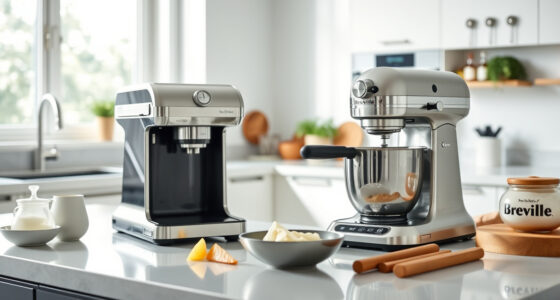

If your KitchenAid Artisan Series 5 Quart Tilt Head Stand Mixer isn’t tilting back as it should, it can hinder your baking process and cause frustration. This guide walks you through common causes and practical fixes to restore proper function safely and efficiently. Before starting, ensure the mixer is unplugged to prevent any accidents.

Get kitchen gear delivered free with Prime
- Fast, free delivery on millions of items
- Prime Video, Amazon Music and more included
- Member-only deals all year
Understanding the mechanics of your tilt-head mixer and the potential issues is key to troubleshooting effectively. We’ll cover everything from simple adjustments to more intricate repairs, so you can get back to baking with minimal downtime.
Key Takeaways
| Common Causes | Obstructions, misaligned parts, or mechanical failures can prevent tilting. |
| Safety First | Always unplug the mixer before inspecting or repairing. |
| Step-by-Step Fixes | Follow clear instructions to troubleshoot and resolve issues. |
| When to Seek Help | If repairs go beyond basic fixes, consider professional service. |
Check for Obstructions and Debris
- Unplug your mixer and carefully tilt the head back as far as it will go.
- Inspect the hinge area and around the tilt mechanism for any debris, dried flour, or food particles that might be blocking movement.
- Use a soft brush or cloth to remove any build-up. Do not use excessive force to avoid damaging parts.
- Once cleaned, gently test the tilt function—if it moves freely, the obstruction was likely the cause.
Inspect and Realign the Tilt Mechanism
- With the mixer unplugged, examine the tilt head and hinge for signs of misalignment or bent parts.
- Check the tilt lock lever and ensure it engages and disengages smoothly.
- If parts are misaligned, carefully realign the hinge pins or contact a professional if you notice bent components.
- Lubricate the hinge with a small amount of food-grade grease if it feels stiff, but avoid over-lubricating.
Test and Adjust the Tilt Lock Lever
- Ensure the tilt lock lever is functioning properly by moving it through its range of motion.
- If the lever is loose or not locking the head securely, tighten any visible screws or bolts.
- Replace or repair the lock mechanism if it remains loose or fails to lock the head in position.
Check for Mechanical Failures
If cleaning and adjustment don’t resolve the issue, there may be a mechanical failure. Common problems include broken hinge pins or damaged internal gears. In such cases, it’s safest to contact KitchenAid support or a qualified repair technician for diagnosis and repair.
Safety Tips and Final Checks
- Always unplug the mixer before inspecting or handling internal parts.
- Use only approved repair methods and avoid forcing parts that seem stuck.
- After repairs, test the tilt function several times with the mixer unplugged and then while running at low speed.
The Products in This Guide

KitchenAid Artisan Series 5 Quart Tilt Head Stand Mixer
- ✔ Voltage: 120V
- ✔ Warranty: 1 Year
- ✔ Includes: Pouring Shield

KitchenAid Stand Mixer Attachment
- ✔ Weight: 4.5 pounds
- ✔ Dimensions: 12 x 8 x 6 inches
- ✔ Warranty: N/A
KitchenAid Artisan Series 5 Quart Tilt Head Stand Mixer
The KitchenAid Artisan Series 5 Quart Tilt Head Stand Mixer is built with durable metal construction and a tilt-head design that offers easy access to the bowl. Its 10-speed control and 59 touchpoints ensure thorough mixing for small or large batches. If your mixer won’t tilt back, understanding its construction can help you troubleshoot efficiently and safely.
Pros:
- Sturdy metal build for long-lasting use
- Easy tilt-head access for ingredient addition
- Multiple color options to match your style
- Powerful motor with 10 speeds
Cons:
- Hinge or tilt mechanism can sometimes jam
- Requires careful handling during repairs
- Not suitable for users unfamiliar with appliance repairs
Best for: Baking enthusiasts and home chefs needing reliable mixing power
Not ideal for: Users uncomfortable with minor mechanical repairs or troubleshooting
Bottom line: A sturdy, reliable mixer that can be easily maintained with proper troubleshooting.
KitchenAid Stand Mixer Attachment
This KitchenAid Stand Mixer Attachment enhances your mixer’s functionality by adding a metal food grinder, ideal for crafting fresh meats, vegetables, and more. It connects easily to the power hub and features multiple grinding plates and sausage stuffer tubes for versatile use.
Pros:
- Expands your mixer’s capabilities
- Made of durable metal parts
- Includes multiple grinding plates
- Easy to store with organized case
Cons:
- Additional attachment needed for use
- Requires cleaning after use
- May be overkill for simple tasks
Best for: Creating fresh, customized ground foods at home
Not ideal for: For users not interested in grinding or food prep accessories
Bottom line: A valuable addition for those wanting fresh ground ingredients with their mixer.
Frequently Asked Questions
Can I manually tilt the KitchenAid mixer if it won’t tilt back?
No, attempting to force the tilt can damage the mechanism. Follow troubleshooting steps first or contact support if needed.
What should I do if the tilt head is stuck after cleaning?
Check for obstructions, realign parts if misaligned, and ensure the lock lever moves freely. If it remains stuck, seek professional repair.
Is it safe to lubricate the hinge myself?
Yes, but only use food-grade lubricant if recommended by the manufacturer. Avoid over-lubricating or using inappropriate substances.
How often should I inspect the hinge and tilt mechanism?
Regularly inspect during cleaning or if you notice difficulty tilting. Proper maintenance can prevent mechanical failures.
When should I contact a professional for repair?
If the tilt mechanism is broken, bent, or if you’re uncomfortable performing repairs, contact KitchenAid support or a qualified technician.
Keep Your Mixer Rolling Smoothly
Regular maintenance, careful cleaning, and prompt troubleshooting can keep your KitchenAid tilt-head mixer functioning perfectly for years. Remember to unplug before inspecting or repairing, and don’t hesitate to seek professional help if needed. With a little care, your mixer will continue to be a reliable kitchen companion for all your baking adventures.
Affiliate disclosure: As an Amazon Associate we earn from qualifying purchases. Prices and availability are accurate as of the time of publishing.
Halloween Picks
halloween
As an affiliate, we earn on qualifying purchases.